Hotel

Hotel management built around the front desk.

Bookings, room status and housekeeping on one screen, so the desk always knows what is free, what is late and what has been charged.

Rs 30,000 one-time Setup & training included FBR add-on optional On-premise · Cloud · Hybrid

Hotel

Every room accounted for, floor by floor.

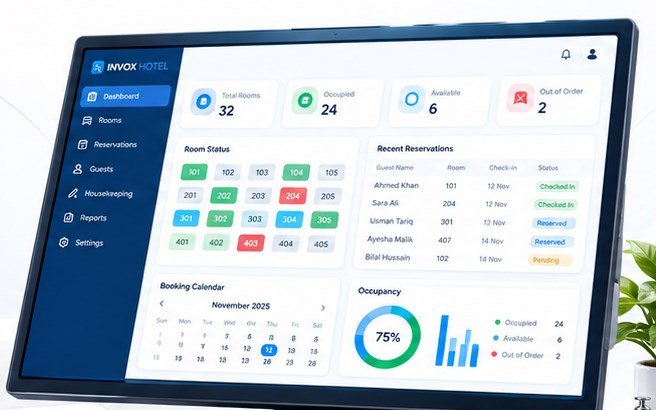
Take a reservation on the booking calendar, check the guest in with their contact details on file, and watch the room move through occupied, available or out of order. The dashboard totals the same numbers the desk is standing on.

Charges — room nights, extra beds, anything the guest orders — land on one folio. Settle it at check-out and the occupancy and payment reports are already written.

  • Room booking and reservations with a booking calendar
  • Guests, check-in and check-out with contact details on file
  • Housekeeping and room status for every floor
  • Guest folios, payments and occupancy reports
See the full price list
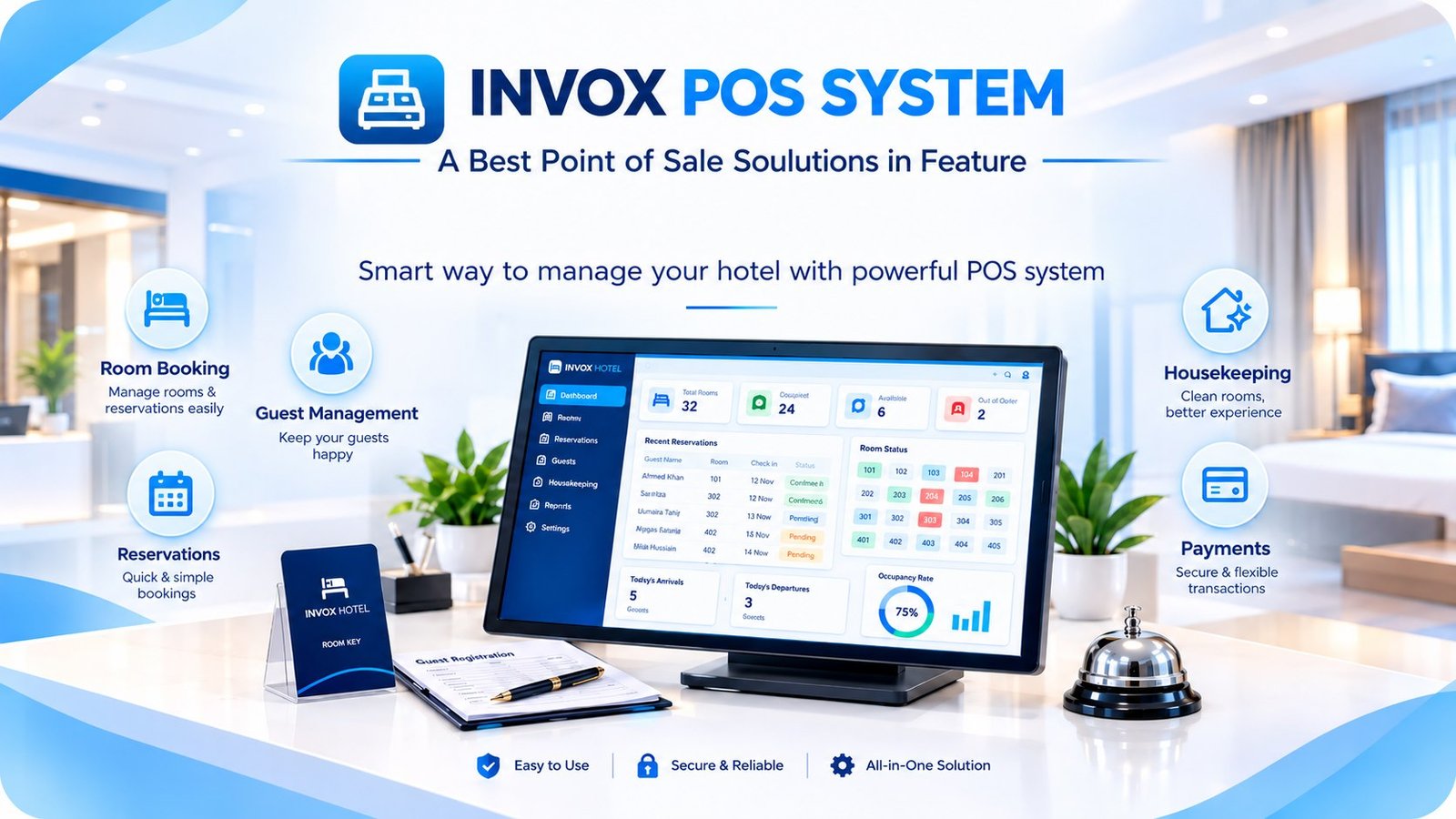
INVOX Hotel dashboard with total rooms, occupied, available and out of order counts, room status by number, recent reservations with check-in status, a booking calendar and 75 percent occupancy.

Inside the module

What the desk needs before noon.

Six jobs the front desk does between the last night audit and the next arrival.

All modules

Booking calendar

Reservations are taken against room numbers and dates, so the desk can see what is committed before it promises the next guest a room.

Check-in and check-out

Guests are stored with their contact details, and arrival and departure are one action each — with the room status changing as it happens.

Housekeeping status

Rooms carry a status per floor, so housekeeping works down a list instead of chasing the desk for what is free.

Guest folios

Room charges and extras accumulate on one folio per stay and settle at check-out — cash or card, with a printed receipt.

Occupancy reports

Total rooms, occupied, available and out of order, with the occupancy percentage on the dashboard — the day’s picture at a glance.

Billing and FBR

Standard billing runs on every installation; FBR-compliant invoices and sales-tax summaries are an optional one-time add-on.

One-time pricing

What the hotel module costs.

A single price, paid once, for the front desk on one PC with installation and staff training included. Multi-property or cloud setups are quoted separately.

FBR add-on available

Options and what is included

Priced in writing before you pay

FBR integration (optional)+ Rs 15,000
Cloud or hybrid setupQuoted separately
More than one propertyQuoted separately
  • Setup & configuration
  • Staff training
  • Backup plan
  • WhatsApp support

All prices are in PKR and one-time. The written quote lists the final scope, including any hardware.

Works with the hardware you already own.

Windows PC POS terminal Receipt printer Cash drawer

Hotel FAQ

Before you put the desk on it.

The questions hotel and guest house owners ask us about bookings, folios and housekeeping — answered the same way we answer on the phone.

Ask on WhatsApp
What does the Rs 30,000 cover?

The hotel management module on one front desk PC: room bookings and calendar, guest check-in and check-out, housekeeping status, guest folios and occupancy reports — with setup, configuration and staff training included.

Can several staff use it at once?

Users and permissions are part of every module, so the desk, housekeeping and the owner each get the access they need — with actions logged. A multi-PC or server setup is quoted after we see the property.

Does it track housekeeping separately from bookings?

Yes. Rooms carry their own status per floor — occupied, available or out of order — so housekeeping has its own list and the desk sees the same state.

Are guest charges on one bill?

Room nights and extras accumulate on a guest folio and settle at check-out, with a printed receipt and the payment recorded against the stay.

Is FBR integration compulsory for a hotel?

No, it is an optional one-time add-on at Rs 15,000. Add it if you issue tax invoices; occupancy and payment reports are the same either way.

Is the demo free?

Yes. Tell us your room numbers, types and rates and we will run the booking, check-in and folio demo with your real property.

The same backbone

Four modules, one set of books.

Add another module later without re-entering your data — users, items, customers and tax settings are already shared.

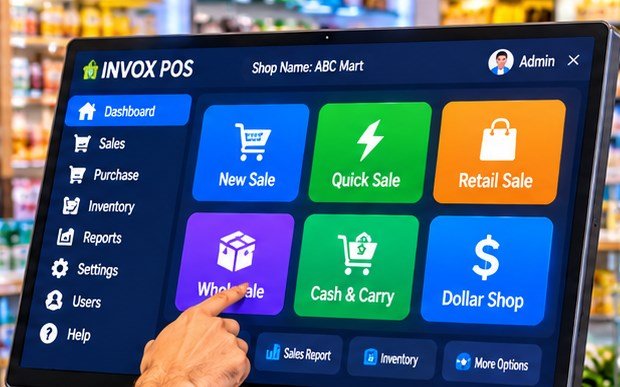
INVOX Business POS on a shop counter screen, with New Sale, Quick Sale, Retail Sale, Wholesale, Cash and Carry and Dollar Shop tiles.

Retail & wholesale

INVOXBusiness POS

Billing, inventory and FBR invoices for shops, wholesale and manufacturing.

  • Fast billing with barcode
  • Wholesale & retail prices
  • Purchases, suppliers & stock
  • Multi-location management
Explore Business POS
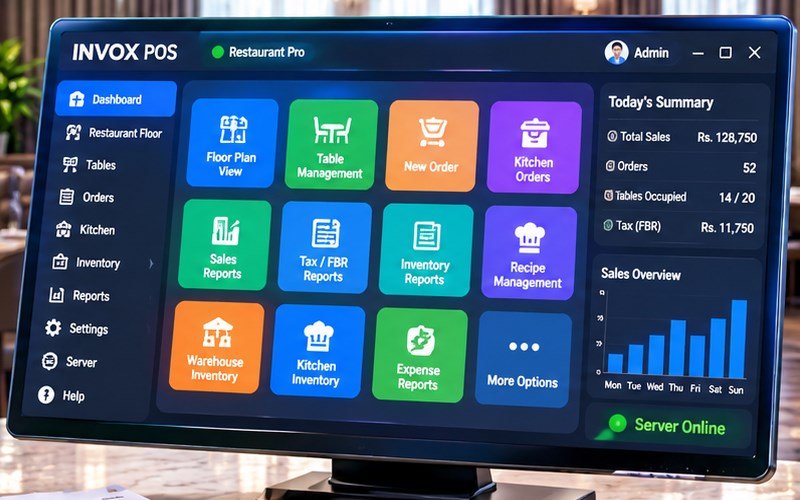
INVOX Restaurant Pro on a monitor, showing floor plan, table management, kitchen orders, tax and FBR reports, with today’s sales on the side.

Restaurant & café

INVOXRestaurant

Floor, tables, kitchen and recipes on one screen — from order to FBR report.

  • Floor & table management
  • Kitchen order flow
  • Recipes & food cost
  • Dine-in and takeaway reports
Explore Restaurant
INVOX POS SYSTEM brand banner with the logo and tagline on a blue background.

Clinic & doctors

INVOXToken System

Patient tokens, doctor-wise queues and fee collection at the reception desk.

  • Tokens & receipt numbers
  • Doctor-wise queues
  • Slips with patient & fee
  • Daily collection totals
Explore Token System
INVOX POS SYSTEM banner showing the software on a monitor with the product family behind it.

All four modules

INVOXCompare plans

One page with every module price, the server option and the FBR add-on.

  • One-time prices in PKR
  • Setup & training included
  • Optional FBR add-on
  • Server and cloud options
See all prices

See it live

See it on your own rooms.

Call 0371-6245556 or message us on WhatsApp. Send your room numbers, types and rates and we will run the booking and folio demo with your real property.