Token System

Token system for clinics — the queue in order.

Reception software that gives every patient a token, prints a slip with the doctor’s name and fee, and has the day’s collection ready before the last guest leaves.

Rs 20,000 one-time Setup & training included Daily backup included Runs on one reception PC

Token System

One token, one slip, one clear queue.

Reception issues the token and prints the slip: token number, patient name, doctor and fee. The waiting room hears one number instead of a crowd, and nobody argues about whose turn it is.

Each doctor has their own queue, and the fee against every visit is recorded as it is collected. At closing, the day’s total by doctor is on screen — and the database backup for that day is already taken on your own machine.

  • Token and receipt numbers for every patient visit
  • Doctor-wise queues with patient names on the slip
  • Fee collection records with daily totals by doctor
  • Daily database and backups kept on your own machine
See the full price list

Inside the module

What reception does all morning.

Six jobs a clinic front desk repeats between the first patient and the last fee of the day.

All modules

Token numbers

Every patient visit gets a token and a receipt number, so the queue and the record for that visit are the same thing.

Doctor-wise queues

Each doctor has their own list, so a waiting room with three clinicians stays in order and each doctor calls their own next patient.

Printed slips

The slip carries the doctor, the patient and the fee — printed at reception on the receipt printer you already own.

Fee collection

Fees are recorded as they are collected against the visit, not remembered and typed up later in a notebook.

Daily totals

Collection totals by doctor and the day’s report are on screen at closing, so the money counted matches the visits recorded.

Daily backup

The database backs up every day on your own machine, with daily reports included in the licence — no monthly fee and no internet dependency.

One-time pricing

What the token system costs.

One price, paid once, for the reception desk on one PC — daily reports and database backup are part of it, not an add-on.

Daily reports & backup included

Options and what is included

Priced in writing before you pay

Daily reports & database backupIncluded
Extra doctors or reception PCsQuoted separately
Cloud or hybrid setupQuoted separately
  • Setup & configuration
  • Staff training
  • Backup plan
  • WhatsApp support

All prices are in PKR and one-time. The written quote lists the final scope, including any hardware.

Works with the hardware you already own.

Windows PC POS terminal Receipt printer

Token System FAQ

Before you move off paper.

What clinic owners and senior reception staff ask us before they put the token book away — and the honest answers.

Ask on WhatsApp
What does the Rs 20,000 include?

The token system on one reception PC: tokens and receipt numbers, doctor-wise queues, printed slips with doctor, patient and fee, fee collection records and daily totals — with setup, configuration and staff training. Daily reports and database backup are included.

How many doctors can it run at once?

Each doctor has a separate queue. The licence covers one reception PC; extra doctors and desks are quoted after we know the size of the clinic.

What prints on the slip?

Token number, patient name, doctor and fee — printed at reception on a standard receipt printer, so the patient has proof and the record stays in the system.

Where is the data kept?

On your own machine, with a daily database backup. Billing and queueing do not need the internet, and you keep the records.

Can the owner see the day’s collection by doctor?

Yes. Daily totals are recorded per doctor and the report is available at closing, which is when the cash box is counted anyway.

Is the demo free?

Yes. Tell us your doctors and fee structure and we will run the queue, slip and daily-total demo with your real information.

The same backbone

Four modules, one set of books.

Add another module later without re-entering your data — users, items, customers and tax settings are already shared.

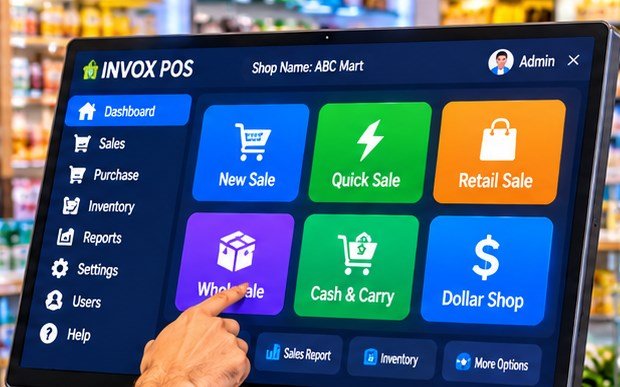
INVOX Business POS on a shop counter screen, with New Sale, Quick Sale, Retail Sale, Wholesale, Cash and Carry and Dollar Shop tiles.

Retail & wholesale

INVOXBusiness POS

Billing, inventory and FBR invoices for shops, wholesale and manufacturing.

  • Fast billing with barcode
  • Wholesale & retail prices
  • Purchases, suppliers & stock
  • Multi-location management
Explore Business POS
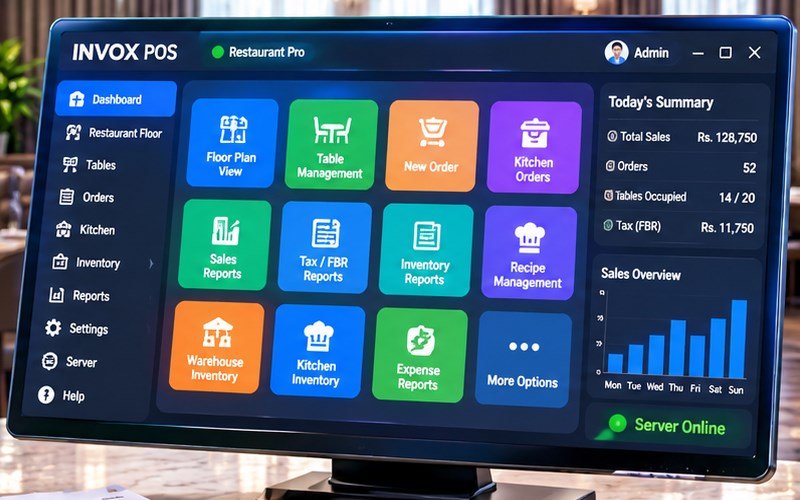
INVOX Restaurant Pro on a monitor, showing floor plan, table management, kitchen orders, tax and FBR reports, with today’s sales on the side.

Restaurant & café

INVOXRestaurant

Floor, tables, kitchen and recipes on one screen — from order to FBR report.

  • Floor & table management
  • Kitchen order flow
  • Recipes & food cost
  • Dine-in and takeaway reports
Explore Restaurant
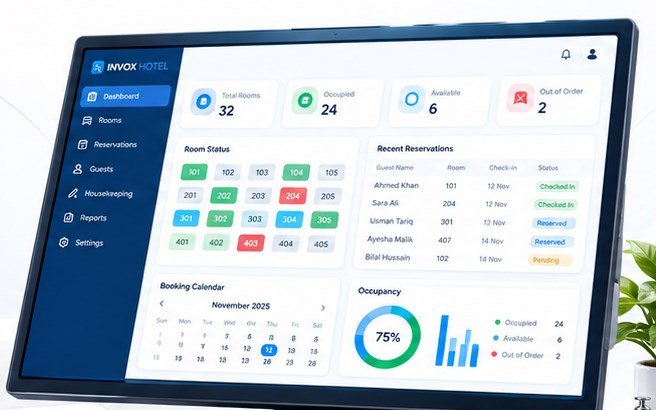
INVOX Hotel dashboard with total rooms, occupied and available count, room status by number, recent reservations and a booking calendar.

Hotel & guest house

INVOXHotel

Room bookings, check-in, housekeeping and guest folios at the front desk.

  • Room booking & calendar
  • Guests & check-in / check-out
  • Housekeeping & room status
  • Folios & occupancy reports
Explore Hotel
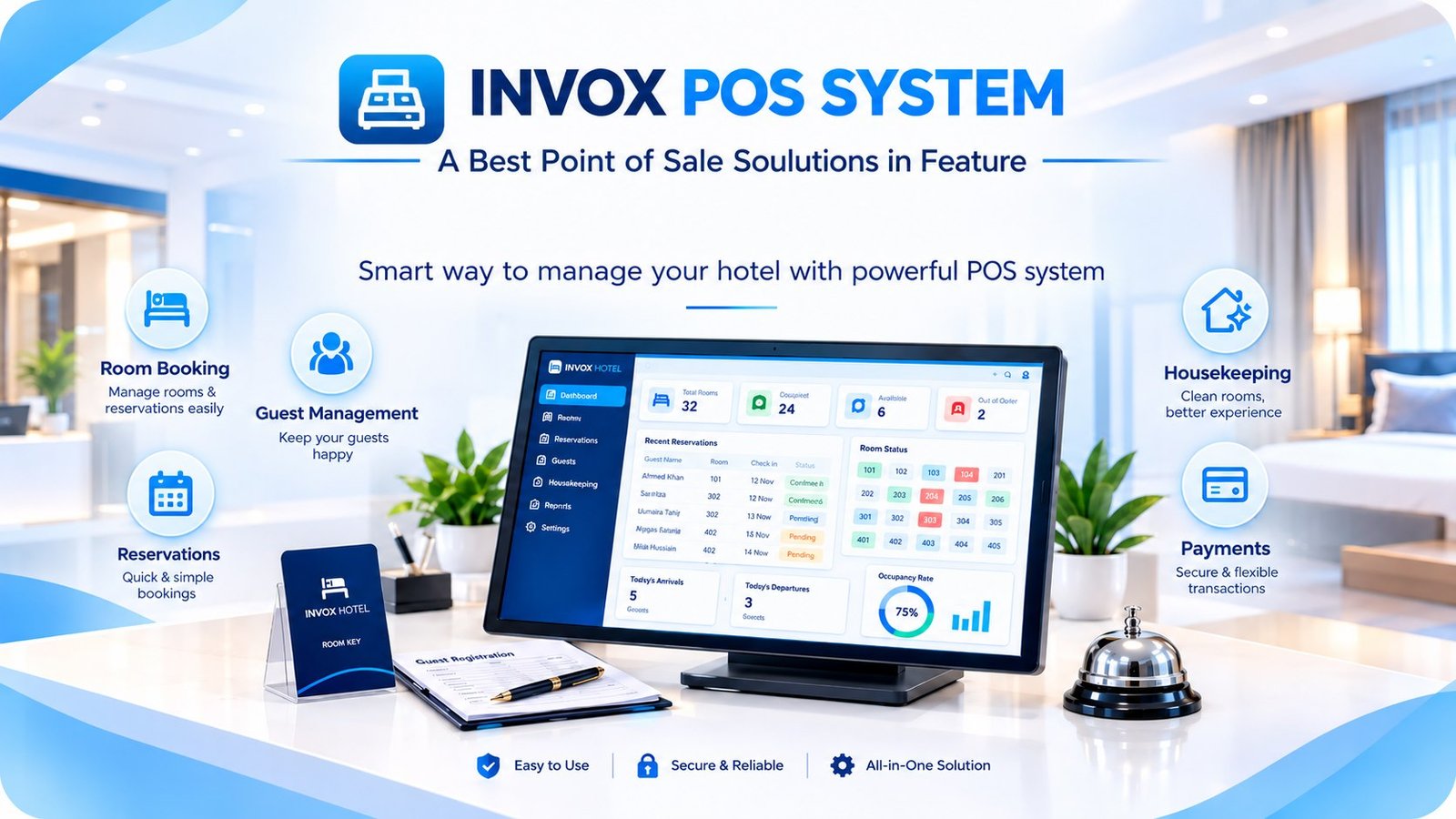
INVOX POS SYSTEM banner showing the software on a monitor with the product family behind it.

All four modules

INVOXCompare plans

One page with every module price, the server option and the FBR add-on.

  • One-time prices in PKR
  • Setup & training included
  • Optional FBR add-on
  • Server and cloud options
See all prices

See it live

See the queue running with your doctors.

Call 0371-6245556 or message us on WhatsApp. Give us the doctor names and fee for each, and we will issue tokens and print slips live on your clinic’s setup.